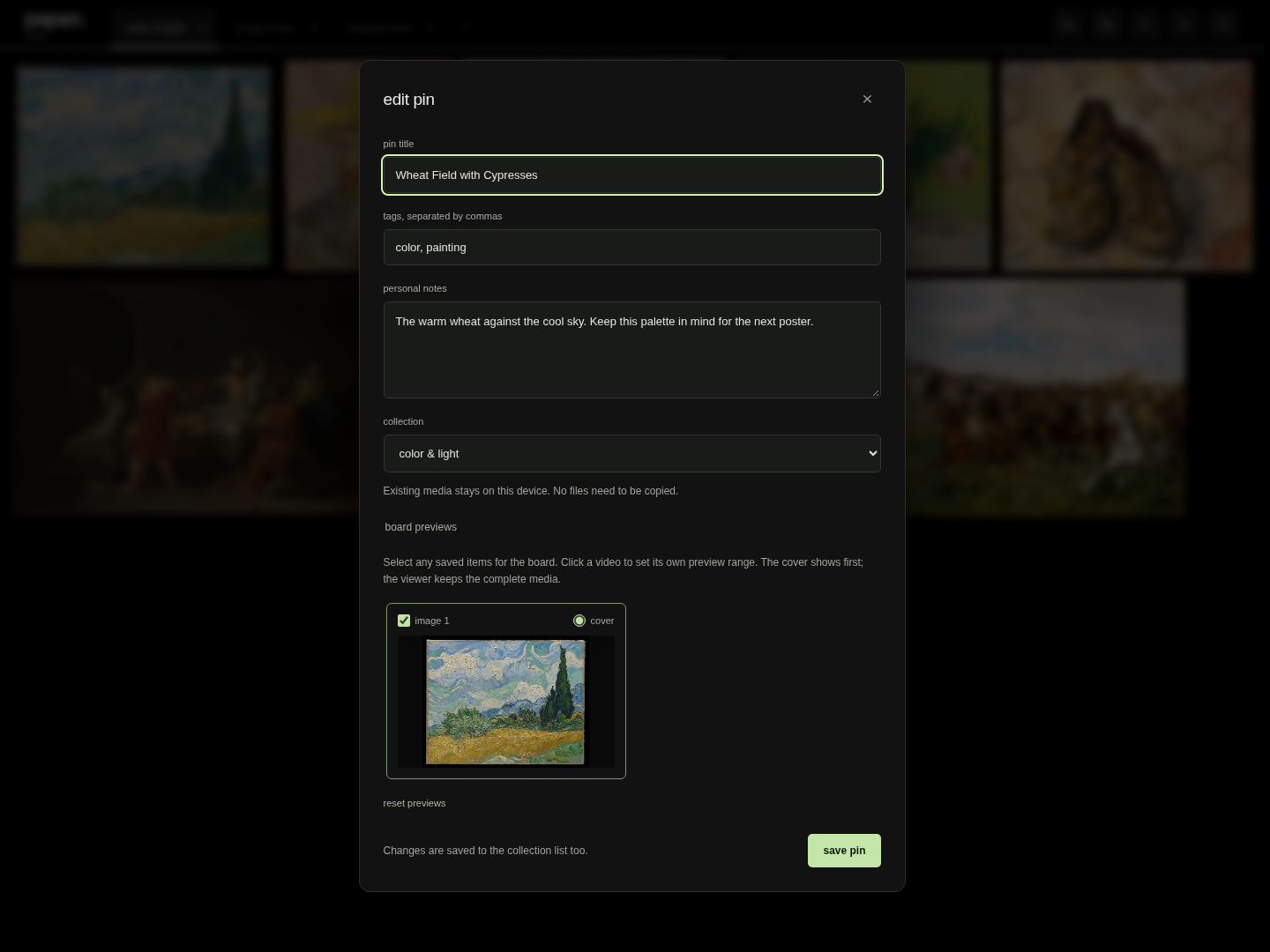
Make a pin your own
Rename it, add tags and notes, change its cover, or move it to another collection. Choose board previews and a separate preview range for each video.
A personal reference board

Keep what catches your eye.
Good references disappear into browser tabs and download folders. Papan keeps images, videos, and readable articles together in a quiet desktop canvas. Paste a link, choose what to keep, and collect it locally.
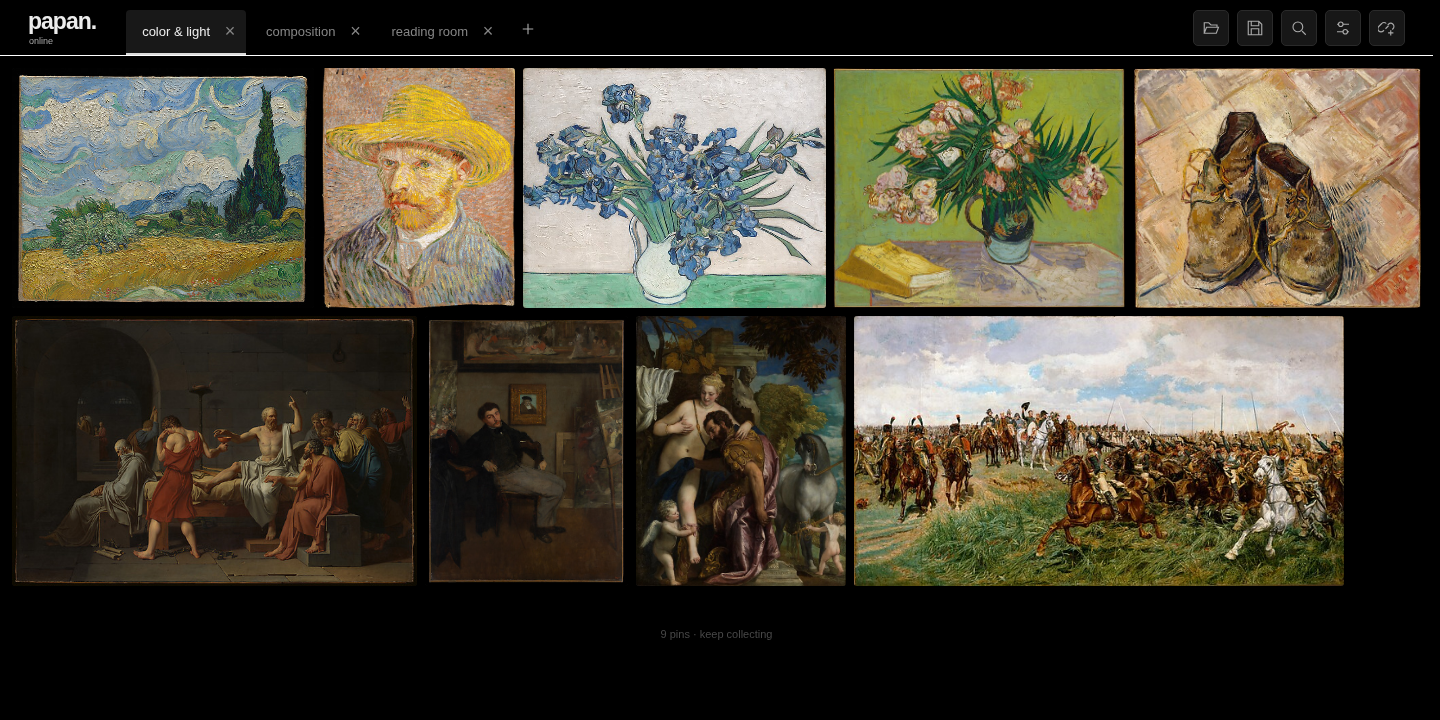
The everyday loop
Add a post, a video, an article, or a direct media link. See what Papan can collect before saving.
Pick the media, a cover, and a collection. Keep smaller previews or download originals for offline use.
Browse a visual board, play videos, read saved articles, or return to the original source.
Keep the context
A useful library keeps more than the file. Add the thought that made you save it, then find it again across your unlocked collections.
Rename it, add tags and notes, change its cover, or move it to another collection. Choose board previews and a separate preview range for each video.
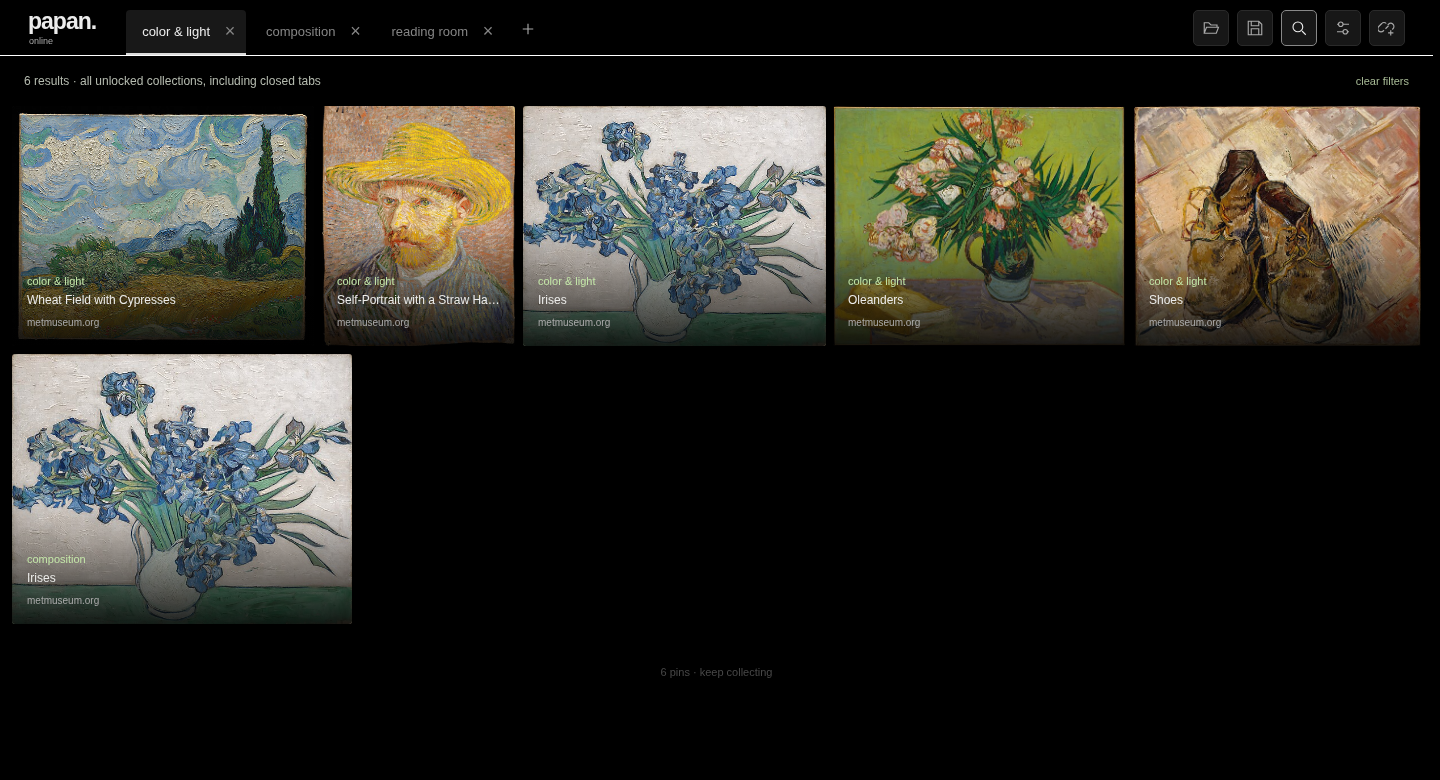
Find titles, tags, notes, and saved text across unlocked collections, including closed tabs. Filter by media type, source, and tag.
A background queue shows progress, cancellation, and retry, so collecting does not interrupt browsing.
Encrypt its contents and saved media with a password. Protected saves and portable exports stay encrypted.
Save a lightweight .papan list, or export a .papan.zip with local media and metadata for another device.
Beyond the desktop
The desktop owns the library. Two companion projects help references reach it and become part of your work.
Pair with Papan over your local network, then share links from Android into a chosen desktop collection. Undelivered links stay queued on the phone.
Android 8+ and desktop Papan 0.2.1+. The desktop receiver must be running and reachable on a trusted local network.
Open saved Papan boards in ComfyUI and connect selected images and videos from one loader node. Ordinary, portable, and encrypted boards are supported.
Reads saved files without a running desktop app. Current runtime checks cover Linux; Windows and macOS extension behavior remains unverified.
Behind the project
I built Papan around a small loop: paste, select, collect, and revisit. The interface stays quiet so the references can do the talking.
Underneath, Electron hosts a sandboxed vanilla JavaScript renderer. Local JSON metadata, filesystem media, Sharp previews, and a separate Python extraction helper keep the library on the device.
The design work is in the less visible parts, too: recoverable writes, a durable download queue, predictable mixed-media layout, and imports that validate archive paths and sizes before saving a collection.
Desktop v0.2.3
Download the archive for your system, extract it, and launch Papan. Keep the extracted folder together. Media tools are included.
An early release. Desktop builds are unsigned; macOS notarization and Windows signing are not configured. See all release details and checksums.
Before you collect
Papan has dedicated extraction paths for public X posts, YouTube videos, Instagram posts, direct media, and accessible articles. It collects individual posts and pages. Profiles, feeds, and live streams are outside the current scope. Platforms can still block extraction, and a preview does not guarantee a download.
Saved previews and downloaded originals can be viewed locally. Choose offline mode to download originals. A lightweight .papan list references existing media; use a portable .papan.zip export to take the local media to another device.
No cloud sync or Papan account is included. Collections live on your device. Android sharing sends links to a paired desktop over your trusted local network; it does not sync libraries between devices.
Yes. The desktop code is GPL-3.0-or-later, and the separate extraction helper is GPL-2.0-only. See the dependency licenses and notices for distribution details.
Screenshots show a documentation-only collection of public-domain artwork from The Met. The app starts empty. Artwork credits.